


ESTABLISHED
We’re one of Edinburgh’s longest-standing mobile phone repair centres. We’re certainly the largest – not just in size but in our in-store stock of top quality, top brand spare parts.
SKILLED
Our component-level technicians constantly upgrade their knowledge on all the latest makes, brands, and technology. We can fix virtually any phone, computer or tablet at our Tollcross repair centre. In fact, if we can’t, no-one in Edinburgh can. And even if repair shops elsewhere have told you your device is beyond help, let Hex have a look before you give up on it completely.
QUICK
We understand that your mobile device isn’t just part of your daily life: increasingly it’s your lifeline to family, friends, and work. That’s why most obvious repairs, like smashed screens, broken charging ports or batteries, can be completed the same day (to be on the safe side, we like to take a little longer with liquid damage and less obvious repairs).
STRAIGHTFORWARD and TRANSPARENT
While we work every day with hi-tech devices, we make sure we only speak plain English with our customers. That way you fully understand what’s wrong with your device, how we’re going to fix it, how much it will cost entirely, and when it will be ready.
TRUSTWORTHY
All Hex repairs come with a warranty of at least 90 days for added peace of mind that your device really is fixed properly. We’re the trusted, go-to repair centre in Edinburgh for a range of businesses, bodies, and organisations, such as John Lewis & Partners, the University of Edinburgh, George Watson’s College, Scottish Power, and the NHS.
WHATEVER THE ISSUE
We’re used to hearing all sorts: “Ismashed my iPhone!”; “I’ve spilled coffee over my laptop!”; “My four-year-old tried to flush my Smart Phone!”; “My PC has packed in!, ''I've lost my data!”
Whatever the problem, from battery issues to screen repairs, call or drop into our Tollcross base in Edinburgh and let our ‘Hex-perts’ work their magic.

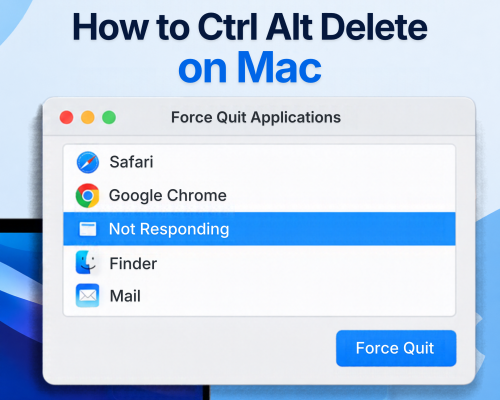
How to CTRL+ALT+Delete on MacBook?
2026-11-16
How to Ctrl + Alt + Delete on a MacBook: A Complete GuideIf you've recently switched from a Windows PC to a MacBook, you might find yourself reaching for the familiar Ctrl + Alt + Delete keyboard shortcut when an application freezes or your...
read more

How to Check What Model iPad You Have?
2026-11-12
How to Check What iPad Model You Have: A Simple GuideNot sure which iPad you own? Whether you're looking to buy a new case, check software compatibility, find the right accessories or arrange a repair, knowing your exact iPad model can make...
read more

How to Factory Reset iPhone?
2026-11-10
How to Factory Reset an iPhone: A Step-by-Step Guide Whether you're selling your iPhone, giving it to someone else, or simply want to start fresh, performing a factory reset is a straightforward way to erase your device and restore it to it...
read more


© Copyright 2026 HEX Edinburgh. Computer & Phone Repair Center.


